Blog
Why QuicklyCook Is Useful When You Want Dinner Ideas Fast
QuicklyCook is for the moment when you know you want to cook, but you don't want to dig through ad-heavy recipe sites or start from a blank page. It gives you fast inspiration, editable recipes, serving adjustments, and a simple way to save what is actually worth making again.

Most recipe products get the basic problem wrong. They assume you came in with a plan. A lot of the time you didn't. A lot of the time you are standing in your kitchen, you want to cook something decent, and you want an answer in under a minute. That is the use case QuicklyCook is built for.
If you want to try it, the site is here: https://quicklycook.com
Start with the prompt, not the search result page
The fastest part of QuicklyCook is the part that matters most. You describe what you want in normal language, and it generates a recipe from that request. You do not need the exact dish name up front. You can ask for something broad like a weeknight pasta, something constraint-driven like high-protein breakfast kids would eat, or something based on whatever is in the fridge.
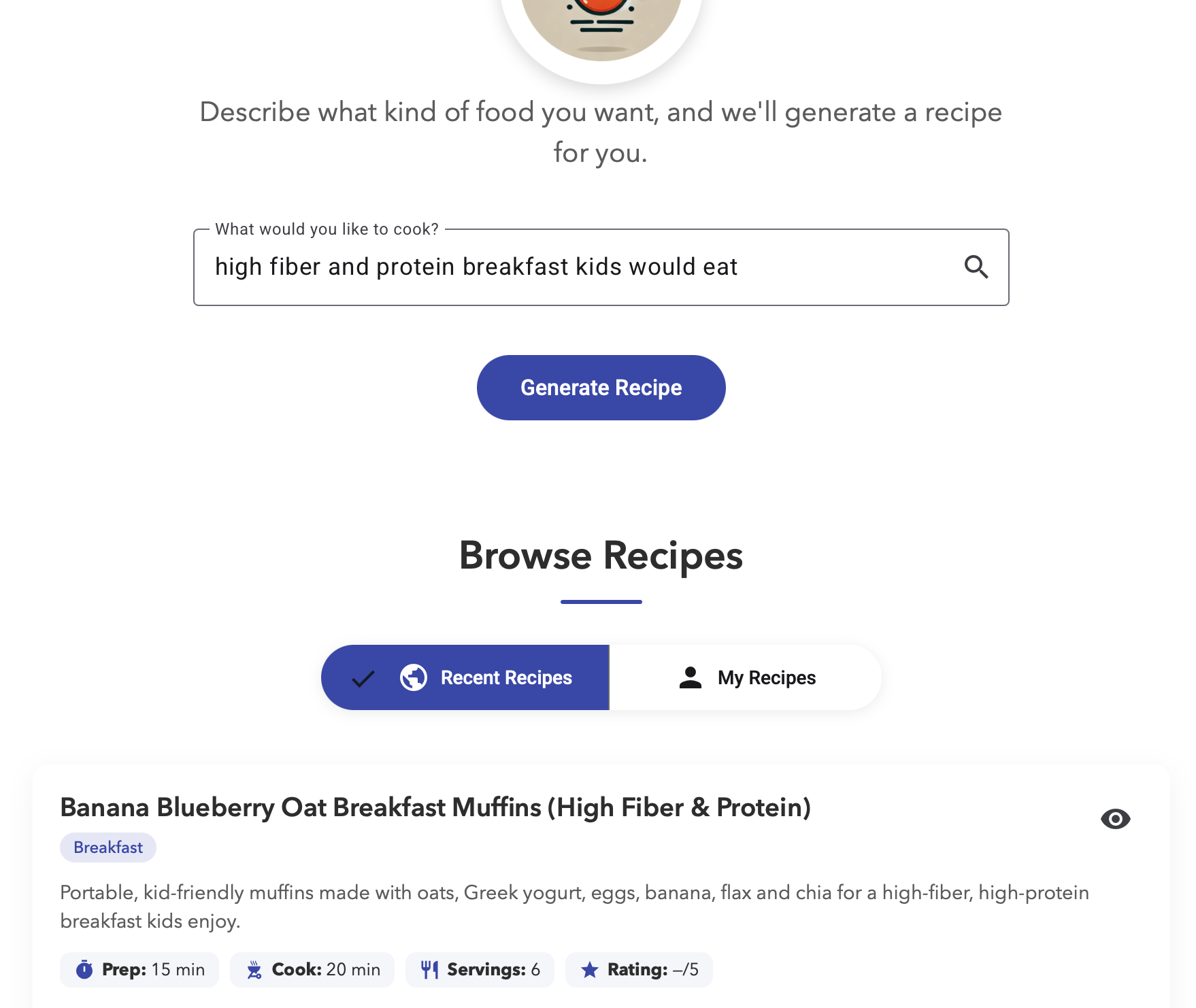
That sounds small until you use it a few times. It changes the job from hunting to deciding. Instead of sifting through ten tabs and three life stories before you get to the ingredients, you get a workable starting point immediately. For people who cook at home but do not want cooking to turn into research, that is a real improvement.
You can keep the recipes that are actually worth keeping
A recipe generator is only useful once if every good result disappears the second the session ends. QuicklyCook fixes that by letting you save recipes you want to come back to. That matters because the real value is not the one-time generation. The real value is building a working personal recipe set that matches how you actually eat.
If you generate something solid on a Tuesday night and your family actually likes it, you should not have to recreate that moment from scratch next week. Save it, revisit it, and use it again.
The recipe is editable, which is what makes it practical
Generated recipes are never perfect on the first pass every single time, and pretending otherwise is how products become annoying. QuicklyCook is more useful because it treats the generated recipe as a draft you can work with. You can edit ingredients. You can edit steps. You can clean up wording. You can change the recipe into the version you actually want to cook.
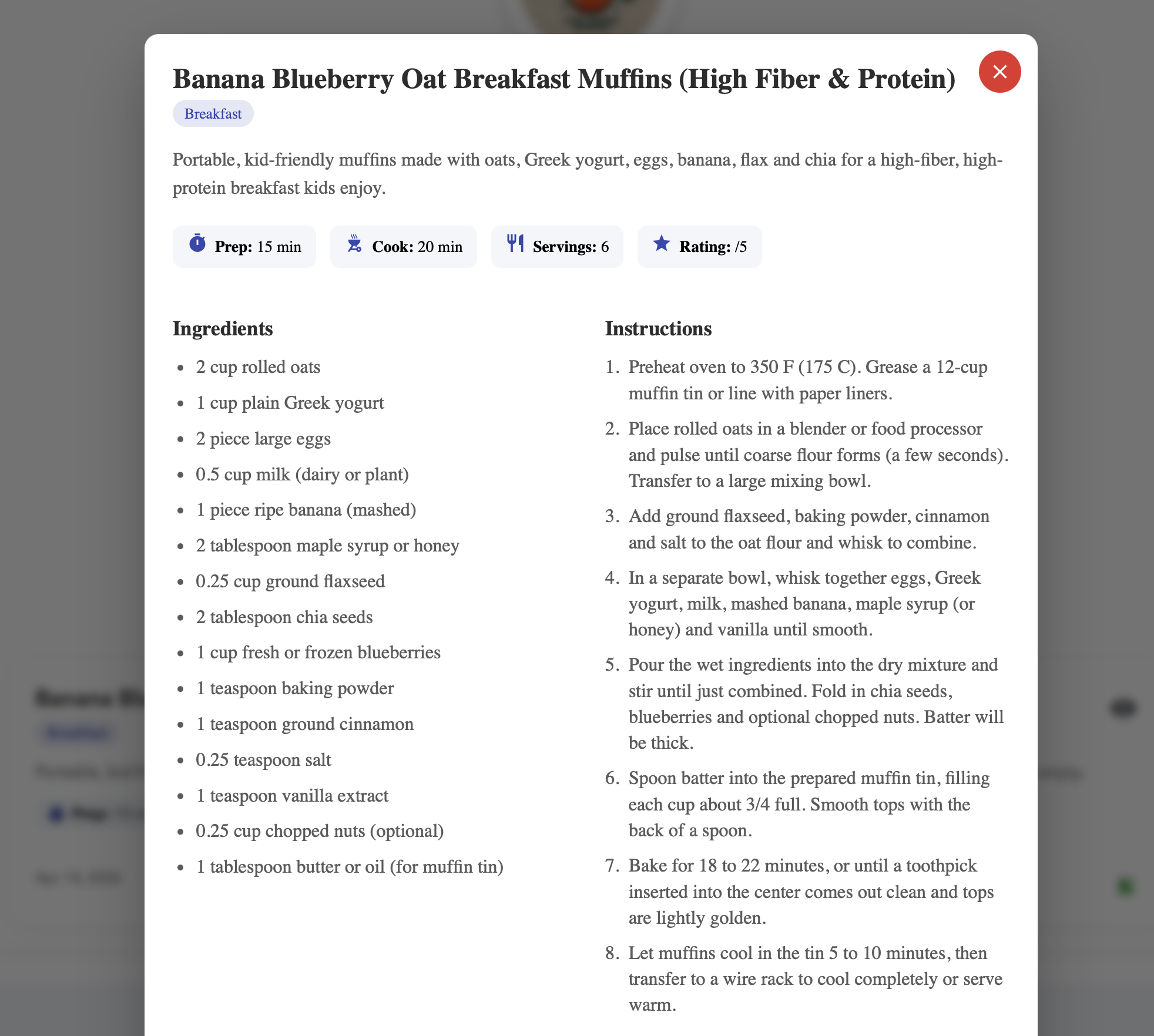
That is the difference between a novelty feature and something you can use repeatedly. Home cooking has edge cases. Maybe the ingredient list is right but you want to simplify the method. Maybe the structure is good but you want to swap a dairy ingredient. Maybe the base recipe is for six and you need four. If you can edit the result directly, the tool stays useful.
Serving adjustments matter more than people think
One of the easiest ways to make a recipe product frustrating is to ignore scale. A lot of home cooks are not cooking for the same number of people every night. Sometimes it is one person. Sometimes it is two. Sometimes you are cooking for kids. Sometimes you want enough left over for lunch the next day. QuicklyCook lets you edit servings, which makes the recipe adaptable instead of rigid.
That sounds obvious, but it is the kind of detail that decides whether something becomes part of your routine. The recipes need to bend to the real dinner situation, not the other way around.
Seeing what other people are eating is useful
There is also a lighter kind of value in QuicklyCook that is easy to underrate. You can browse recent recipes and get fast inspiration from what other people are generating. That is useful when you are not asking for a recipe yet. You are just trying to get unstuck.
Sometimes the right experience is not a precise search. Sometimes you want one decent idea to spark the next one. Browsing recent recipes gives you that. You can see what people are making, open something that looks promising, and either use it directly or spin it into your own version.
The technical side matters too
QuicklyCook also works better because the product shape is restrained. The interface is straightforward. The generation step is obvious. The recipe view is readable. The save and edit path is not buried. It loads fast, and it feels like a working application instead of a content farm wearing a product costume.
Under the hood, the app keeps a clean separation between generation, saved recipes, and the user-facing browsing flow. That matters because it keeps the product responsive and easier to evolve. The point is not to show off architecture for its own sake. The point is that the system supports a fast interaction loop: ask, get a recipe, adjust it, save it, reuse it.
Why someone would actually want to use it
You want dinner inspiration quickly without reading through ad-heavy recipe sites.
You want a recipe starting point, not a blank search box and twenty tabs.
You want to save good recipes and come back to them later.
You want to edit the generated recipe so it fits how you really cook.
You want to adjust servings without reworking everything manually.
You want to see what other people are making when you need ideas fast.
That is the simple case for QuicklyCook. It helps at the exact point where a lot of people stall: deciding what to make, getting to a usable recipe fast, and turning a decent result into something you can keep.
Try it here: https://quicklycook.com